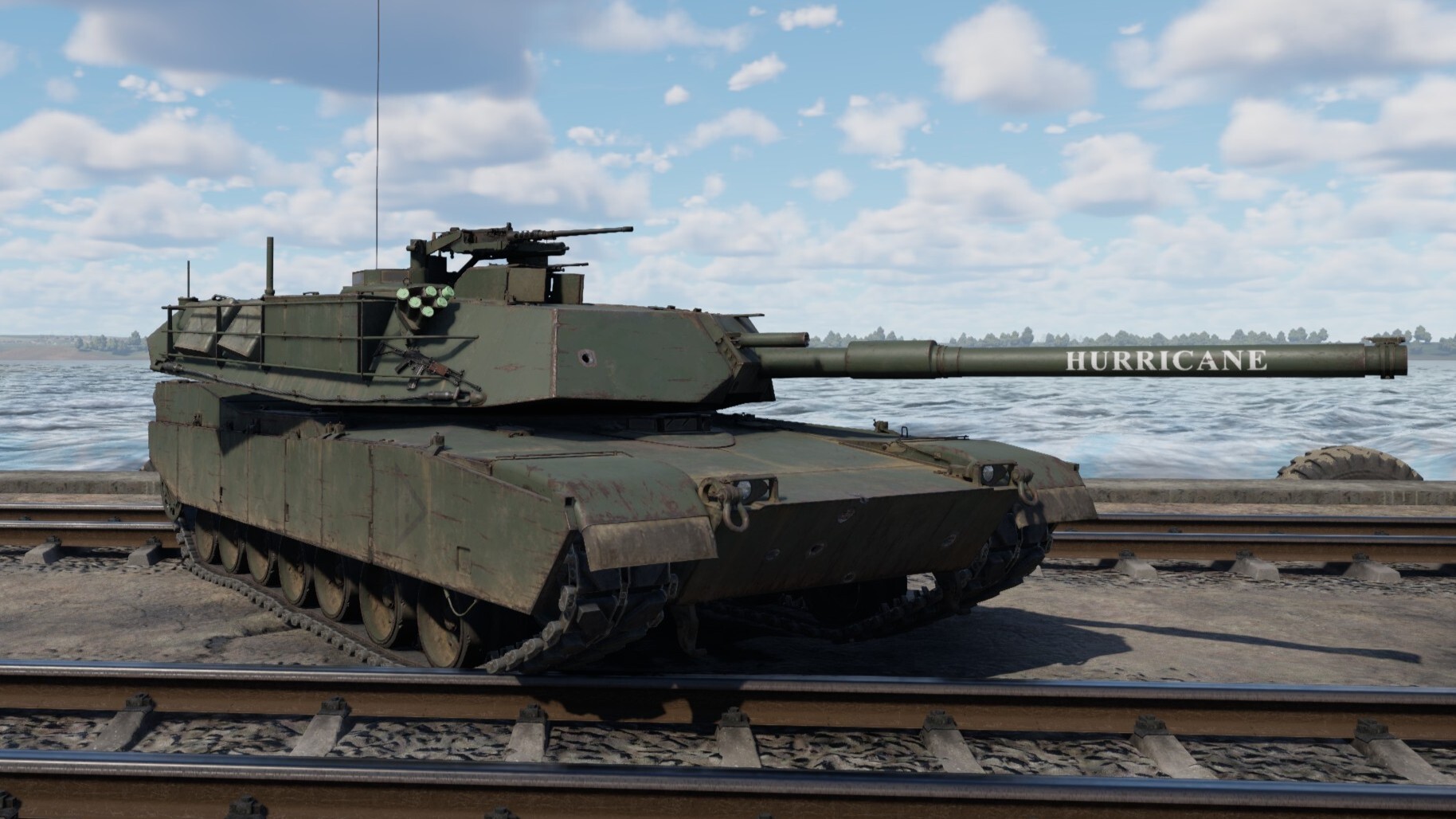
How does this strange mechanic work? Why is my reload suddenly so slow? And what makes this article on game mechanics so special? Here you’ll get a detailed guide on recognizing which vehicles have this reload type, how it changes gameplay, as well as easily finding relevant yet hidden values through datamining. This article is appropriate for both manual or autoloading tanks with “ready racks” and will inform you on how to successfully navigate one of War Thunder’s most widespread reloading systems.
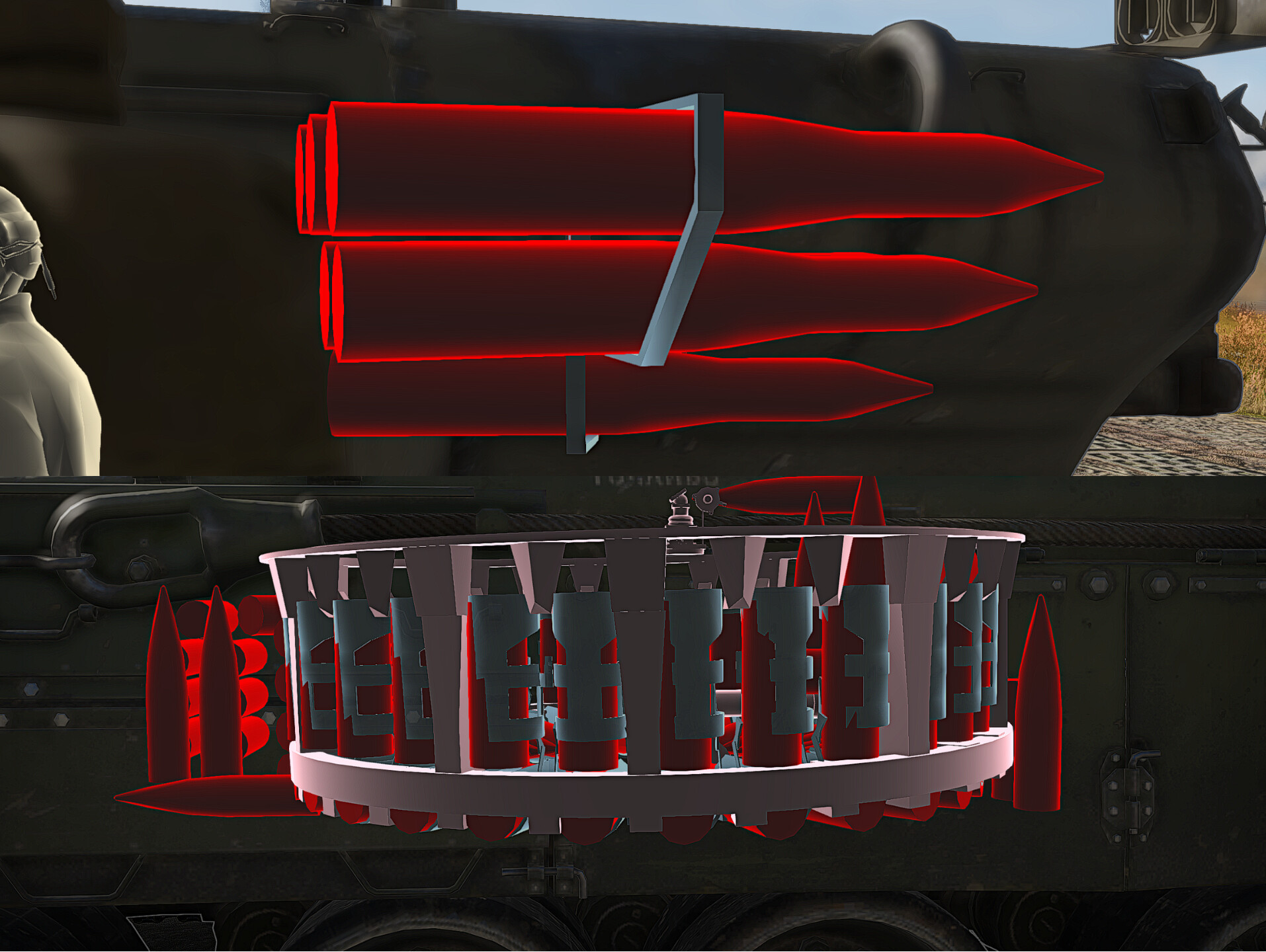
What’s first stage ammo?
First stage ammo, also known as a “ready rack” or “first order”, designates the ammo racks that result in the fastest reload on a tank due to being the most accessible to the loader/autoloader mechanism. Any tank with a manual ready rack will have two reload speeds, a faster reload for the first stage ammo, and a slower speed for when the first stage ammo runs out. This longer reload simulates the human loader having to take longer to access the ammo that’s farther from him.
For manual ready racks, the main cannon reloading rate shown on the in-game statcard or in the wiki only indicates the faster reload discussed above.
Tanks with automatic ready racks have only one reload speed, and will not be able to fire once the first-stage ammo runs out. They must wait for the autoloader’s ready rack to be refilled with at least one round before firing. Considering that reload rate and being able to shoot can be the deciding factor in many of your tank engagements, this game mechanic is vital to learn about.
The one thing to get out of the way is that manual first-stage ammo is not the same as autoloaders, the biggest difference being that crew damage and skill affect tanks with first-stage ammo, and doesn’t affect autoloaders. Although, tanks with this feature do have the benefit of still being to reload when those shells run out, which autoloaders cannot do.
What autoloaders and manual first-stage ammo do share is the fact that they are always filled before other ammo racks, so if you take the same amount of shells as your ready rack, then only the ready rack is filled. This usually increases survivability at the cost of possibly depleting ammo reserves during a fight.
If you want to know more about autoloaders, visit this article by the Wiki Team.
Does my vehicle have a manual ready rack or autoloader, and how do I track it?
Viewing in Hanger
This method is most recommended, as one can find out the amount of rounds needed to fill the first-order ammunition rack to capacity, allowing one to decide on the exact amount of ammo to bring into battle.
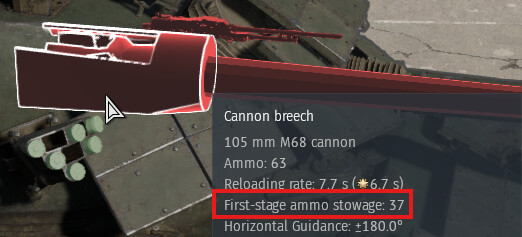
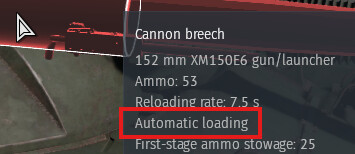
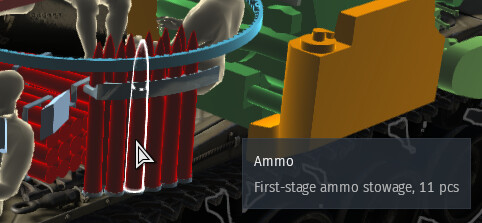
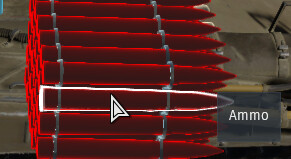
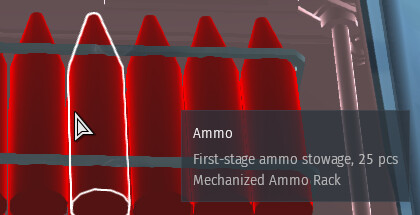
In the hanger, the best way to know is to hover over the gun breech. As seen in the images below, it’s easy to filter out in x-ray viewing and the text is quite obvious. If the breech doesn’t say first-stage ammo or automatic loading, then your tank has no ready rack or autoloader.
You can also check the ammo itself, although it might take some searching. There are further examples in the gallery below, but the text descriptions will be very similar to the breech’s text. The most distinct trait of automatic loaders is the large reloading mechanism, titled “Autoloader” when hovered over.
Viewing in Battle
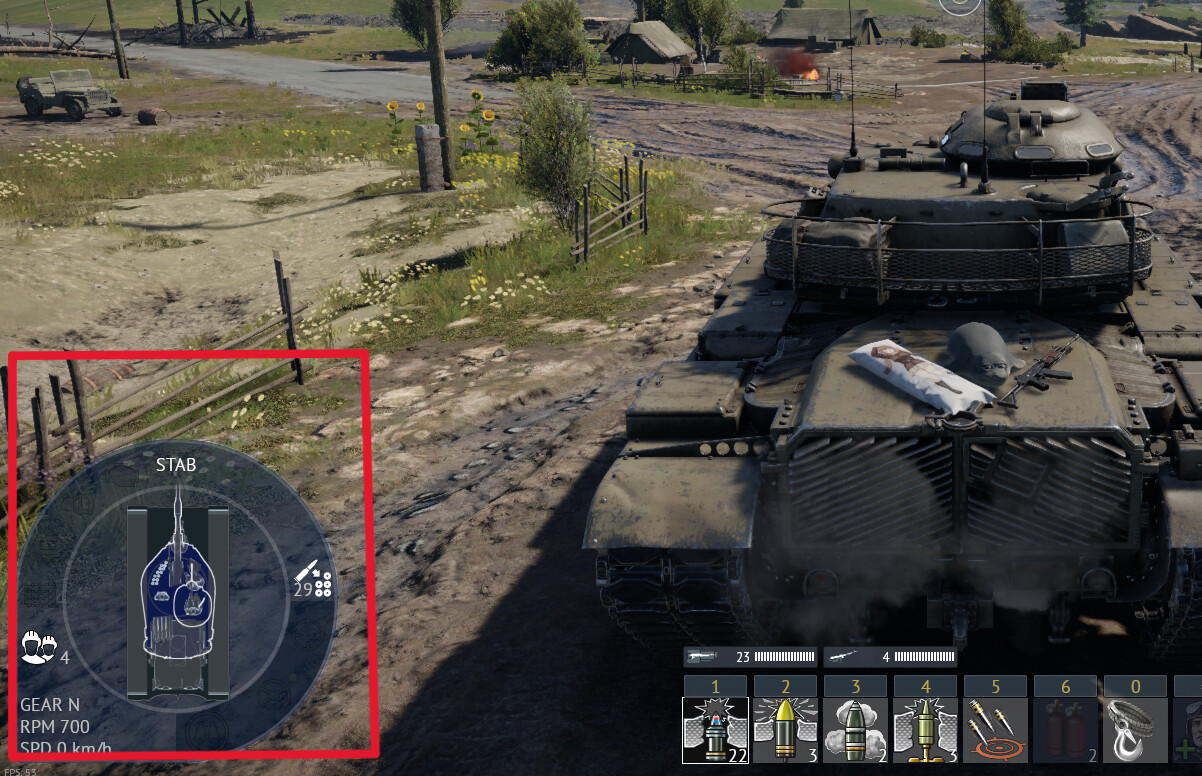
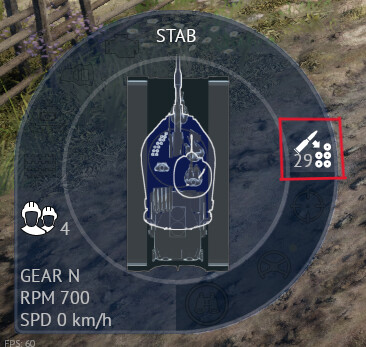
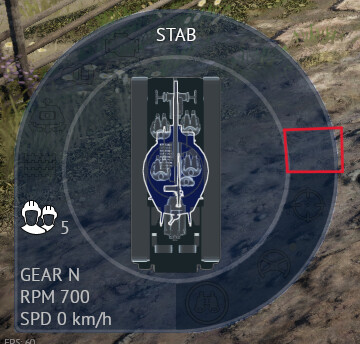
In the battle, you can view the ready-rack counter directly, as the number of rounds remaining in the first-stage stowage is displayed on the bottom left corner, as shown below. This is the main method of tracking it, and you should keep an eye on if it’s getting low. Once it hits 0, your next reload will be noticeably longer for manual loaders, and autoloaders will no longer be able to fire. If that symbol and number are not there, then your tank doesn’t have a ready rack.
However, tanks with autoloaders will also have this symbol, so you should use the hanger view to clarify this.
Viewing in Wiki
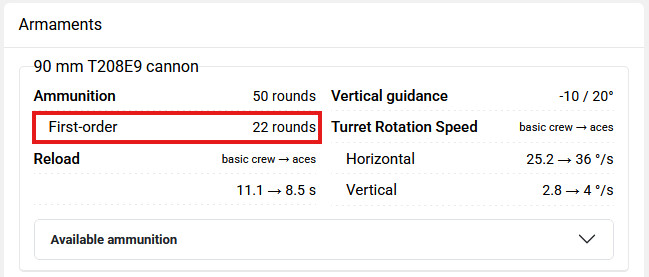
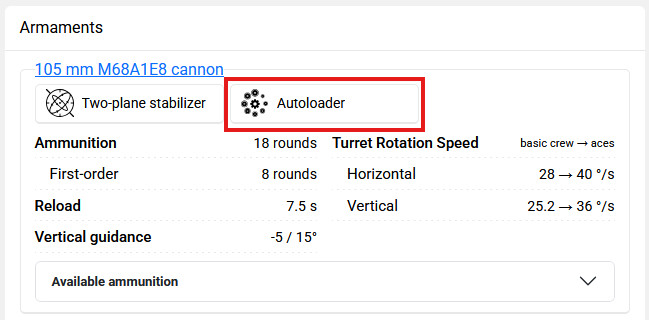
This is the simplest way to find out if you don’t have the game open. Find your vehicle in the wiki, then scroll to “Armaments” and you will see “First-order” underneath. This means your tank has a ready rack, and the number of rounds in the first-order section is accurate.
Autoloading vehicles will have the autoloader symbol in the armaments section along with the “First-order” data, and tanks with the “First-order” data but no autoloader symbol have manual ready racks. Vehicles with neither have no first-order ammunition at all.
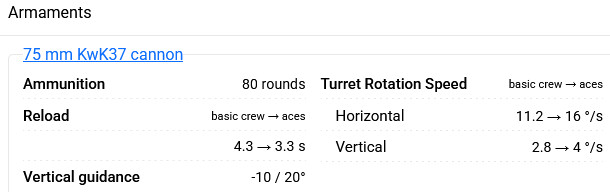
Now that you can find the characteristics described above, you can differentiate between ready racks for manual and automatic loaders, or no ready rack at all.
How does the ready rack replenish?
Both manual and automatic first-stage loading will follow the 2 paragraphs below.
Once a round is fired, the crew waits for the next ready-rack round to be loaded, then begins the refilling in a few seconds (assuming the ready rack is not empty). You will be notified of this replenishment happening via the timer that pops up, which tracks each round being loaded into the first-stage stowage from other racks. Firing the cannon will reset the timer, and therefore this symbol won’t appear if shooting continuously, or if no rounds are left to move into the ready rack.
The time taken to refill each round is different for each tank, and there doesn’t seem to be a discernible pattern to this value. So in-game you’ll have to wait out the timer to get a feel of how long it takes, although the datamine section later in the article can provide more precise info on this timing.
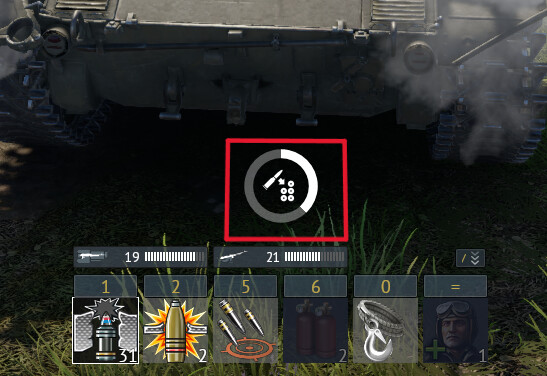
There is a slight difference for replenishment between manual and automatic when the ready rack count reaches zero, as the manual loading tanks will reload the cannon first before beginning to refill the first-order ammo. On the other hand, autoloaders cannot fire after emptying their ready rack, so their next step is to start replenishment without reloading the gun.
Some vehicles, like the 2S19M2, have no ammo outside of their ready rack/autoloader. Therefore, these vehicles will never see the first stage refill timer above.
The biggest takeaway is that you should keep watching your ready-rack count, but there is more to this than just awareness.
There’s a strategy for this?
There might not seem to be much to plan for with this mechanic, yet there are ways for you to maximize your tank’s battle effectiveness, such as maxing out the crew skills to get the shortest reload for manual ready racks.
Another tip is to remember the first-stage ammo’s position in your vehicle or enemy vehicles, as it is almost always filled and therefore is a vulnerable one-shot component. You can even try to memorize the emptying order of this ammo rack to guarantee a kill when aiming for partly filled stowages.
Small vs Large Ready Racks
Some vehicles suffer from very small ready racks, such as the T25, which has a whopping 2 first-order rounds. Here, you should be careful about emptying those rounds, otherwise that reload will be extended by precious seconds.
Others have such large ready racks that you’ll never have to deal with running dry and getting longer reloads. This is common on Cold War-era tanks and younger, like the M60A1(AOS), getting 37 first order rounds. You won’t even need to let the ready rack refill itself with so much space. Just don’t carry an extreme ammo amount over the ready rack’s limit and decrease your survivability.
Capture Point Refilling
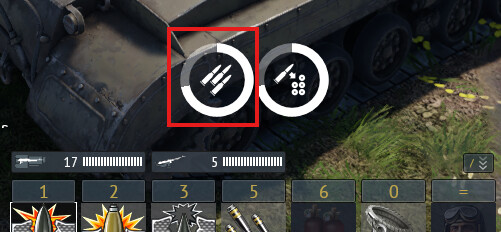
Friendly capture points will restock ammunition. Sitting still on a captured point makes the reload icon appear, as seen in the image below. Every time it completes, one ammo is refilled onto your tank.
This new ammo will always be placed in the first-stage ammo rack if your vehicle has it, and it’s faster than letting your tank replenish the ammo with no capture point. Basically, for the quickest replenishment of your ready rack, just head to the nearest cap.
Where are the secret values?
Please understand that this section’s accuracy hinges on the datamine being updated by a trusted community volunteer, not a Gaijin employee. If the update date of the provided link falls behind major War Thunder updates, then there will be inaccuracies. Updated or not, know that the datamined time-based numbers are likely correct since they can be compared against personally timing the ready rack’s steps in-game. Other values cannot be tested, and thus shouldn’t be blindly trusted.
For these hidden times, I used datamined info courtesy of gszabi99. First, open this link to the GitHub repository. If you just want to find the vehicle, skip to the next paragraph. Otherwise, if you do want to see the location of all tank info, go to the folder aces.vromfs.bin_u, then gamedata, then units, and finally tankmodels. The files will be titled like “cn_m_41d.blkx”, which is difficult to interpret and so instead of manually searching any further, use this method.
Quickest Search Method
Go to the wiki website and search your desired vehicle. Then when you are on its page, copy the last part of the website’s address, as seen below.

Next, go back to the GitHub link and paste this into the “Go to file” search bar. You will see several options, but the one we want will say “tankmodels/(pasted tank name)”. For example, for the M1128, I would click on “aces.vromfs.bin_u/gamedata/units/tankmodels/us_m1128_mgs.blkx”.
Once you find your target file, enter it, and there should be text. To find the values of the ready rack, search “ammoStowages” with the search bar or “Ctrl + F”, and then you can see all the necessary values.

Finding Replenishment Times
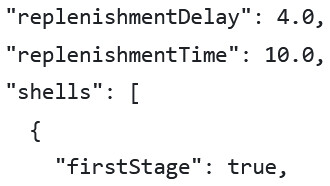
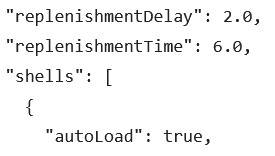
Now, look for “replenishmentDelay” and “replenishmentTime”, which are relevant to both manual and automatic loading tanks. There will be numbers on the side, as you can see in the image below, and these are the seconds for each value. The replenishment delay is the time before the ready rack starts getting reloaded, if you remember how I said that after firing, the crew waits a bit before refilling. The replenishment time denotes how long it takes to reload ammunition per single shell into the ready rack. Once again, this value is in seconds, and is very accurate and useful if you run out of first-stage ammunition often.
As proven by the gallery below, the values for these can vary quite a lot from tank to tank.
Finding Reload Multiplier for Manual First Stage
Another invaluable variable is the “reloadTimeMult” number, which you can either scroll down a little or just Ctrl+F again to find it. This tells you the value the game multiplies your reload by when your manual ready rack is empty, and doesn’t pertain to autoloaders.

This game mechanic might’ve been quite confounding, but now you can enter battle ready to serve enemies their “first-stage” of pain. I hope you’ve learnt at least one new thing about ready racks, and can put that datamine to good use. Good luck!